

Download Wifi Analyzer and Scanner – Free Wi-Fi Signal Detector for Windows, Mac, Android & iOS
Looking for a reliable, lightweight, and secure tool to analyze your Wi-Fi network performance? Wifi Analyzer and Scanner is a free software designed to help users detect Wi-Fi signals, identify network congestion, and optimize their wireless connections across multiple platforms. Available for Windows 11 and above, as well as Mac, Android, and iOS, this versatile app offers real-time insights into your network environment.
Whether you're troubleshooting slow internet speeds, setting up a new router, or securing your home network, this tool provides essential data like signal strength, channel usage, and interference levels. With a clean interface and minimal system impact, it's perfect for both beginners and advanced users. The current version, 1.2.1.0, is available in English only and is regularly updated to ensure compatibility and performance.
While the free version offers powerful core features, upgrading to the premium version unlocks advanced analytics, historical data tracking, and priority support. Download Wifi Analyzer and Scanner today and take full control of your wireless experience.
Real-Time Wi-Fi Network Analysis Made Simple
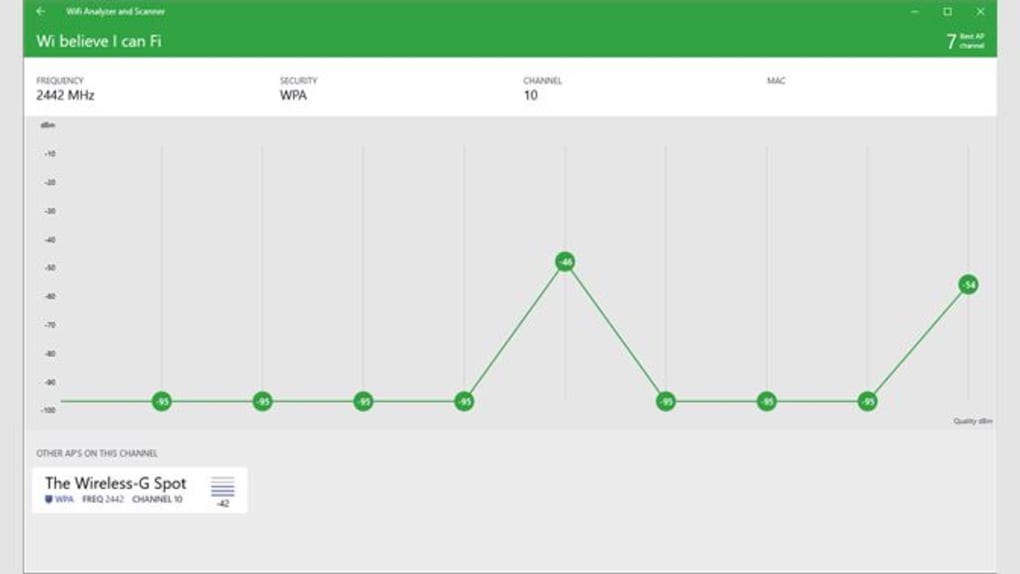
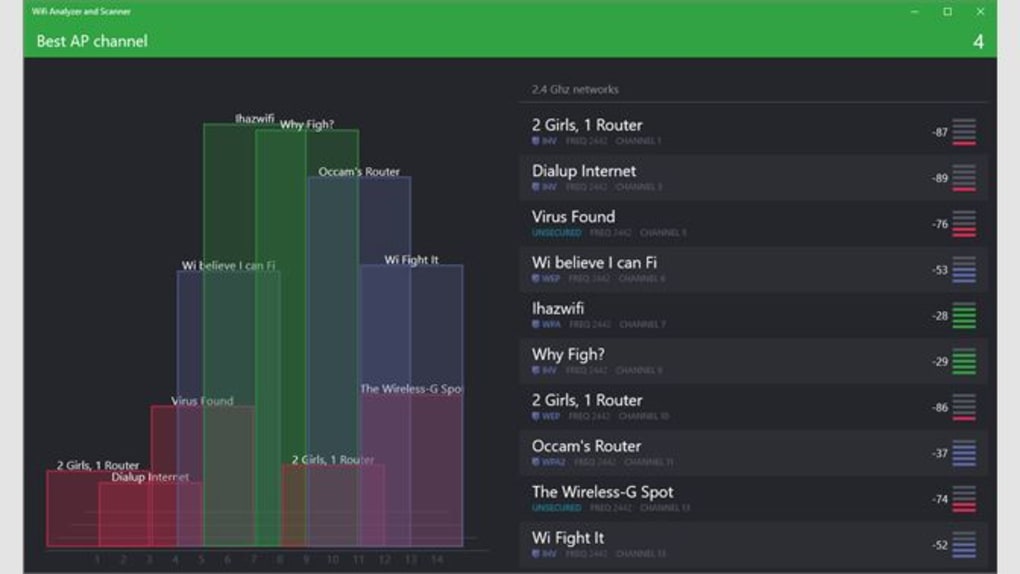
One of the standout features of Wifi Analyzer and Scanner is its ability to deliver real-time analysis of your Wi-Fi environment. Unlike many outdated tools that require complex setups or technical knowledge, this software offers a streamlined, intuitive interface that makes network diagnostics accessible to everyone. As soon as you launch the app, it begins scanning nearby wireless networks, displaying detailed information such as signal strength (in dBm), channel frequency, network type (e.g., 2.4GHz or 5GHz), and security protocols. This data is presented in an easy-to-read graph and list format, allowing users to quickly identify weak signals or overlapping channels that may be causing interference.
For home users, this feature is invaluable when deciding the best placement for a Wi-Fi router or mesh system. By walking around your house with the app, you can visualize signal decay and find dead zones. For businesses or public venues, it helps in optimizing network layouts to reduce congestion during peak hours.
The app also detects hidden networks and rogue access points—common security risks—giving you peace of mind. All scans are performed locally, ensuring your data remains private and secure. There’s no need to send sensitive network information to external servers.
The lightweight design ensures minimal CPU and memory usage, so the app runs smoothly even on older systems. With automatic updates, you’ll always have access to the latest improvements and bug fixes, keeping your network analysis accurate and efficient.
What sets this tool apart is its focus on usability without sacrificing depth. Whether you're a student, remote worker, or IT professional, you’ll appreciate how quickly you can gather actionable insights. The ability to save scan results and generate reports (in the paid version) makes it ideal for documentation and troubleshooting. With regular updates and a growing user base, Wifi Analyzer and Scanner continues to evolve as a trusted companion for anyone serious about Wi-Fi performance.
Multi-Platform Support & Easy Installation
One of the biggest advantages of Wifi Analyzer and Scanner is its cross-platform availability. Whether you're using Windows 11 and above, macOS, Android, or iOS, you can download and install the app with just a few clicks. This flexibility ensures that users can analyze their networks from any device—whether at home, in the office, or on the go.
The installation process is straightforward and requires no technical expertise. On Windows, simply download the installer from the official website, run it, and follow the on-screen prompts. The app doesn’t require admin rights for basic scanning, making it ideal for shared or restricted environments.
For mobile users, the Android and iOS versions are available via the Google Play Store and Apple App Store, respectively. The mobile interface is touch-optimized, with swipe gestures and pinch-to-zoom for exploring signal graphs. On Mac, the app integrates seamlessly with macOS, offering native performance and system compatibility.
All versions are lightweight, consuming minimal storage space and battery life—perfect for long-term monitoring. Once installed, the app automatically detects available Wi-Fi networks and begins scanning in the background. You can customize scan intervals, choose which networks to monitor, and set alerts for signal drops or suspicious activity.
Regular updates ensure compatibility with new operating system versions and security patches. The developers at Webprovider prioritize user experience and security, releasing updates every few months to fix bugs and improve functionality. Whether you're a casual user or a network administrator, the ease of installation and consistent performance across platforms make this tool a top choice. Plus, the free version offers enough functionality to get started without any cost. For those needing advanced features like historical data tracking, exportable reports, and multi-device sync, the premium upgrade is well worth the investment.
Pros, Cons & Frequently Asked Questions
- Pros:
- Free to download and use with core features
- Lightweight and fast, minimal system resource usage
- Real-time Wi-Fi signal and channel analysis
- Supports Windows, Mac, Android, and iOS
- Secure, local scanning with no data sharing
- Intuitive, user-friendly interface for all skill levels
- Regular updates and bug fixes
- Detects hidden networks and potential security threats
- Cons:
- Only available in English
- Advanced features locked behind premium subscription
- Mobile version lacks some desktop-level customization
- No built-in network optimization recommendations (only data)
- Limited offline report generation in free version
Frequently Asked Questions (FAQ)
Q: Is Wifi Analyzer and Scanner really free?
Yes, the core version of Wifi Analyzer and Scanner is completely free to download and use.
It includes essential features like real-time scanning, signal strength detection, and channel analysis. However, advanced tools like historical data tracking, report exports, and priority support are available in the paid premium version.
Q: Can I use this tool on my iPhone or Android phone?
Absolutely.
The app is available on both the Apple App Store and Google Play Store. The mobile versions are optimized for touch and offer real-time network visualization, making them ideal for on-the-go diagnostics.
Q: Does Wifi Analyzer and Scanner work on Windows 10?
While the app officially supports Windows 11 and above, many users report it working on Windows 10 with minor compatibility tweaks.
For best results, we recommend using Windows 11 or updating your OS. The developers have not released a specific version for Windows 10, but the app is lightweight enough to run on most modern systems.
Q: Is my data safe when using this app?
Yes, your data is secure.
All scans are performed locally on your device. The app does not collect or transmit your network data to external servers, ensuring complete privacy and compliance with data protection standards.
Q: How often should I scan my Wi-Fi network?
We recommend scanning at least once a week for routine monitoring.
If you're experiencing connectivity issues, perform a scan immediately. For optimal performance, especially in high-density areas like apartments or offices, consider scanning every few days to detect interference from neighboring networks.
Final Verdict: A Must-Have Wi-Fi Tool for Every User
After thorough evaluation, Wifi Analyzer and Scanner stands out as one of the most reliable, secure, and user-friendly tools for Wi-Fi network analysis. Its ability to deliver real-time insights across multiple platforms makes it an essential addition to any home or office setup. Whether you're a casual user trying to boost your internet speed or a tech-savvy individual optimizing a complex network, this app provides the tools you need—without the complexity.
The free version offers substantial value, allowing you to detect signal strength, identify channel congestion, and uncover hidden networks. While the premium version unlocks advanced features, the free tier is more than sufficient for most users. The developers have clearly prioritized performance, privacy, and accessibility, making this a trustworthy choice in a crowded market.
With regular updates, cross-platform support, and a clean, intuitive interface, Wifi Analyzer and Scanner earns its place as a top-rated Wi-Fi diagnostic tool. Don’t let poor Wi-Fi ruin your productivity or streaming experience. Download Wifi Analyzer and Scanner today—it’s free, secure, and ready to help you take control of your wireless world.







